INVITED WEBINAR特邀网络研讨会 · 03.2026

Protecting Yourself in Cyberspace — A Cybersecurity Awareness Session 保护自己在网络空间——网络安全意识讲座

Consulate General of Pakistan巴基斯坦驻广州总领事馆 · Guangzhou, China中国·广州 · March 31, 20262026年3月31日 · 2:00–3:00 PM CST下午2:00–3:00(中国标准时间)
№ T1

OVERVIEW概述

Why this session matters. 为什么这场讲座重要。

The Pakistani community in southern China faces unique cybersecurity challenges: cross-border communication apps, multilingual phishing campaigns, and increasing exposure to AI-generated disinformation targeting diaspora groups. Most awareness materials are either too generic or not available in accessible formats for this community. 华南巴基斯坦社区面临独特的网络安全挑战:跨境通信应用、多语言钓鱼活动,以及针对侨民群体日益增多的AI生成虚假信息。大多数安全意识材料要么过于笼统,要么没有以该社区可接触的形式提供。

This invited webinar was organized by the Consulate General of Pakistan, Guangzhou, to bridge that gap. We covered practical threat models relevant to everyday users, phishing, identity theft, online scams, data bleed, and safe practices for digital life. The session was delivered in English with live demonstrations of threat detection and interactive Q&A. 本次特邀网络研讨会由巴基斯坦驻广州总领事馆组织,旨在弥合这一差距。我们涵盖了与日常用户相关的实用威胁模型、钓鱼攻击、身份盗窃、网络诈骗、数据泄露和数字生活的安全实践。讲座以英语进行,包含威胁检测的现场演示和互动问答。

№ T2

EVENT POSTER活动海报

Official invitation poster. 官方邀请海报。
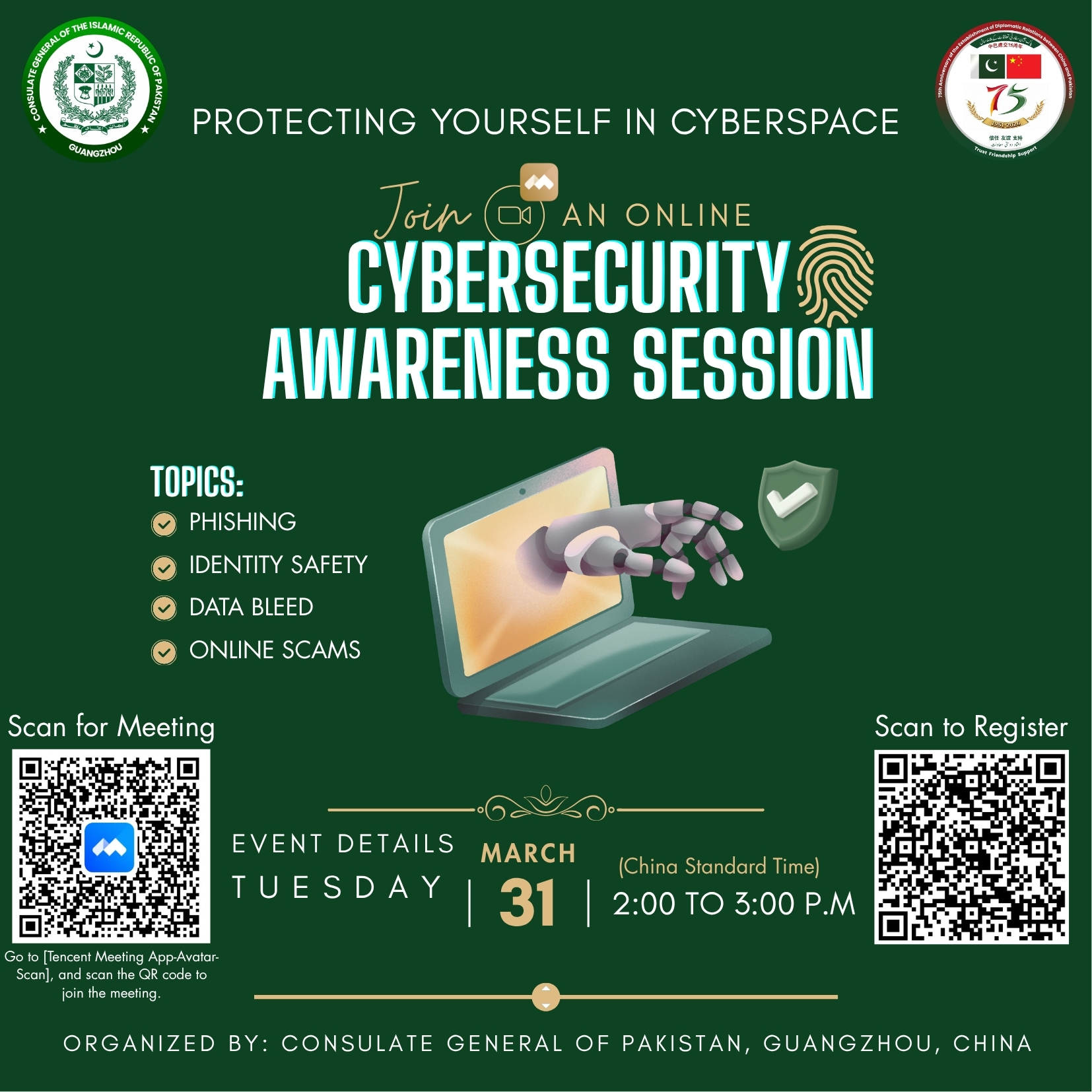
Cybersecurity Awareness Session Poster — Protecting Yourself in Cyberspace, organized by Consulate General of Pakistan, Guangzhou, March 31, 2026 Fig. 1 — Official event poster. Topics: Phishing, Identity Safety, Data Bleed, Online Scams. Organized by Consulate General of Pakistan, Guangzhou, China. Tuesday, March 31, 2026, 2:00–3:00 PM CST. 图1 — 官方活动海报。主题:钓鱼攻击、身份安全、数据泄露、网络诈骗。由巴基斯坦驻广州总领事馆组织。2026年3月31日(星期二)下午2:00–3:00(中国标准时间)。
№ T3

SLIDES幻灯片

Browse the presentation. 浏览演示文稿

CYBERSECURITY AWARENESS SESSION 网络安全意识讲座

Protecting Yourself in CYBERSPACE 保护自己在网络空间

MUHAMMAD AHMAD AMIN, Ph.D.

School of Cyber Science and Technology, Sun Yat-sen University, Shenzhen, China 中山大学网络空间安全学院,深圳,中国

March 31, 2026

Organized by Consulate General of Pakistan, Guangzhou, China 由巴基斯坦驻广州总领事馆组织

Agenda 议程

01 Cyberspace & Cybersecurity 网络空间与网络安全
02 Common Threats 常见威胁
03 Digital Footprint & Protection 数字足迹与保护
04 Best Practices for Users 用户最佳实践
05 Key Takeaways 关键要点

About Me 关于我

MUHAMMAD AHMAD AMIN, Ph.D.

Postdoctoral Fellow at School of Cyber Science and Technology, Sun Yat-sen University, Shenzhen, China. 中山大学网络空间安全学院博士后研究员,深圳,中国。

Born and raised in Faisalabad, Pakistan; living in Guangzhou/Shenzhen, China since 2016. 在巴基斯坦费萨拉巴德出生并长大;自2016年起居住在中国广州/深圳。

  • Published peer-reviewed papers and patents 发表同行评审论文和专利
  • Contributed to provincial and national-level projects in China 参与中国省级和国家级项目
  • Expertise in ML for multimedia forensics, deepfake detection, biometric security 机器学习多媒体取证、深度伪造检测、生物特征安全方面的专业知识
  • Recipient of Excellent Graduate Student Award (M.Sc. & Ph.D.) 获得优秀研究生奖(硕士和博士)
  • Chinese Government & Guangdong Government Outstanding International Student Scholarship 中国政府和广东省政府优秀国际学生奖学金

About Me 关于我(续)

Publications & Patents 论文与专利

Published multiple peer-reviewed papers in top-tier journals and conferences in the fields of multimedia forensics, deepfake detection, and biometric security. 在多媒体取证、深度伪造检测和生物特征安全领域的顶级期刊和会议上发表了多篇同行评审论文。

Holds patents related to machine learning-based security systems and multimedia authentication methods. 拥有与基于机器学习的安全系统和多媒体认证方法相关的专利。

Projects & Awards 项目与奖项

  • Contributed to provincial and national-level research projects in China 参与中国省级和国家级研究项目
  • Excellent Graduate Student Award — M.Sc. & Ph.D. 优秀研究生奖——硕士和博士
  • Chinese Government Outstanding International Student Scholarship 中国政府优秀国际学生奖学金
  • Guangdong Government Outstanding International Student Scholarship 广东省政府优秀国际学生奖学金

Collaborations 合作机构

Research collaborations spanning across multiple continents and institutions, fostering international cooperation in cybersecurity and multimedia forensics. 研究合作跨越多个大洲和机构,促进网络安全和多媒体取证领域的国际合作。

🇺🇸

Duke University

USA

🇬🇧

University of Warwick

UK

🇫🇷

Université de Bourgogne

France

🇨🇳

Sun Yat-sen University

China

🇨🇳

South China University of Technology

China

🇨🇳

GRG Banking

China

🇦🇺

Deakin University

Australia

🇦🇺

UNSW

Australia

SECTION 01 第一部分

Cyberspace 网络空间

Understanding the digital environment we live in 理解我们所处的数字环境

What is Cyberspace? 什么是网络空间?

The virtual environment created by interconnected digital devices, networks, and the internet. A global domain where information is stored, shared, and processed electronically. A space where digital communication and interaction occur. 由互联数字设备、网络和互联网创建的虚拟环境。一个信息被电子存储、共享和处理的全球领域。数字通信和交互发生的空间。

🔧

Physical物理

Hardware, servers, cables, routers, data centers

💻

Software软件

Operating systems, applications, cloud services

🌐

Network网络

TCP/IP, LANs, WANs, wireless networks

🧠

Cognitive认知

Users, human decision-making, social engineering targets

📊

Information信息

Data, digital assets, intellectual property

— U.S. Department of Defense

Cyberspace Domains — Physical, Software, Network 网络空间域——物理、软件、网络

Physical Domain

Hardware components: servers, computers, cables, routers, data centers, and physical infrastructure that form the backbone of cyberspace.

Software Domain

Operating systems, applications, programs, and cloud services that run on physical hardware and enable digital functionality.

Network Domain

Internet protocols (TCP/IP), LANs, WANs, wireless networks, and communication infrastructure connecting devices globally.

— U.S. Department of Defense

Cyberspace Domains — Cognitive/Human & Information 网络空间域——认知/人类与信息

Cognitive / Human Domain

  • Users who interact with technology
  • Human decision-making and behavior online
  • Social engineering targets

Information Domain

  • Data, content, information flows
  • Digital assets, intellectual property
  • Personal and organizational data

Three-Layer Model

Physical Layer

Hardware and geography

Logical Layer

Software and network

Social/Persona Layer

Users and human interactions

— AcqNotes

SECTION 02 第二部分

Cybersecurity 网络安全

Protecting our digital lives 保护我们的数字生活

What is Cybersecurity? 什么是网络安全?

The practice of protecting systems, networks, programs, and data from digital attacks. Measures taken to defend against unauthorized access, cyber threats, and data breaches. Encompasses technologies, processes, and practices designed to safeguard digital assets. 保护系统、网络、程序和数据免受数字攻击的实践。为防御未经授权的访问、网络威胁和数据泄露而采取的措施。涵盖旨在保护数字资产的技术、流程和实践。

Core Components核心组成部分

Technologies

Firewalls, encryption, antivirus, intrusion detection

Processes

Security policies, incident response, risk management

Practices

User training, access controls, regular audits

People

Security awareness, human firewall, vigilance

— NIST

Why It Matters 为什么重要

Consequences of Poor Security安全不足的后果

Data Breaches

Sensitive information compromised, reputational damage, potential legal consequences

Info Leaks

Exposes intellectual property, violation of NDAs, loss of client trust

Shared System Impact

Multiple projects affected, files deleted/tampered, company-wide credential reset

Financial Loss

Direct theft, ransomware payments, recovery costs, regulatory fines

Cybersecurity Applications 网络安全应用

01

Personal Information Protection

Safeguards banking info, passwords, prevents identity theft, protects medical/financial records.

02

Financial Security

Protects online banking, prevents unauthorized purchases, secures credit cards and transactions.

03

Device Protection

Shields from malware, prevents ransomware, protects against spyware and viruses.

04

Privacy Protection

Controls access to personal info, protects digital communications, maintains confidentiality.

— NIST, Fortinet, IBM

The CIA Triad CIA三元组

The three foundational principles of information security that guide cybersecurity practices worldwide. 指导全球网络安全实践的信息安全的三个基本原则。

CConfidentiality
Keeping information private and accessible only to authorized parties
IIntegrity
Ensuring data accuracy and trustworthiness throughout its lifecycle
AAvailability
Ensuring authorized access to information when needed

— Fortinet, TechTarget, SecurityScorecard

SECTION 03 第三部分

Common Threats 常见威胁

Know your enemy to protect yourself 知己知彼,百战不殆

Common Threats Overview 常见威胁概述

Phishing Attacks

Social engineering attack impersonating trusted source. 90% of breaches in 2026.

Data Breaches

Unauthorized access or exposure of sensitive information.

Malware / Ransomware

Viruses or programs designed to damage or give unauthorized access.

Deepfakes

AI-generated fake audio/video. 3,000% increase in fraud attempts.

Botnets

Compromised devices controlled for malicious tasks.

Social Engineering

Manipulation of people into breaking security procedures.

Threat Incentives 威胁动机

01

Data Mining

Records user actions, collects personal/financial info (SINs, bank accounts, credit cards).

02

Botnets

Gains access via drive-by download, installs Trojan, operator controls device remotely.

03

Malice

Exploits weakness/bugs, motivated by mischief, vandalism, or ideological reasons.

04

Ransomware

Demands payment to regain access, uses OS hijacking or encryption to lock data.

Challenges 2025–2026 2025-2026年挑战

01Ransomware attacks evolution
02Firmware attack weaponization
03Increase in supply chain attacks
04Security of remote work & hybrid workforces
05Attacks on APIs and staffing issues
06Deepfake technology

AI advancement has made attacks more sophisticated. Attackers now leverage machine learning to create more convincing phishing emails, bypass traditional security measures, and automate large-scale attacks. 人工智能的进步使攻击变得更加复杂。 攻击者现在利用机器学习创建更具说服力的钓鱼邮件,绕过传统安全措施,并自动化大规模攻击。

Life Cycle of a Cyberattack 网络攻击生命周期

01Reconnaissance — Gathering information about the target
02Weaponization & Delivery — Creating and sending malicious tools
03Exploitation — Using system weakness to gain access
04Installation — Installing malware to gain control
05Command and Control — Connecting to issue instructions
06Actions on Objectives — Stealing data or disrupting operations

Phishing 钓鱼攻击

A type of Social Engineering which attempts to acquire sensitive information (usernames, passwords, financial details) by pretending to be a trusted contact or company. Emails appear to come from social websites, banks, delivery companies, or business partners. 一种社会工程学攻击,通过伪装成可信联系人或公司来获取敏感信息(用户名、密码、财务详情)。邮件看似来自社交网站、银行、快递公司或商业伙伴。

Common Phishing Targets常见钓鱼目标

Social Websites

Fake login pages for Facebook, Instagram, LinkedIn

Banks

Fake banking alerts and account verification requests

Delivery Companies

Fake shipping notifications and tracking links

Business Partners

Fake invoices and payment requests

— IBM

Phishing Statistics 钓鱼攻击统计

90%of breaches in 2026 involved social engineering like phishing
3.4Bphishing emails sent daily worldwide
94%of organizations fell victim to phishing attacks

— CISA, Keepnet, AAG IT Support

Spear Phishing 鱼叉式钓鱼攻击

Targeted email at specific individual/department appearing from trusted source. Uses similar domain names easy to overlook. Targets C-level or finance department. Requires reconnaissance. 针对特定个人/部门的定向邮件,看似来自可信来源。使用容易忽视的相似域名。目标是高管或财务部门。需要前期侦察。

Characteristics

  • Highly personalized content
  • Uses real names and job titles
  • References recent activities or projects
  • Creates sense of urgency

Delivery Methods

  • May involve phone calls (fake Microsoft support)
  • Social media reconnaissance
  • May come from compromised trusted source account
  • Multi-channel approach

Impact of Phishing 钓鱼攻击的影响

$Unpredictable expenses and financial losses
Operational downtime and productivity loss
📉Damage to reputation and customer trust

Key Statistic

65% of attacker groups used spear phishing as the primary infection vector.

— Symantec

Phishing Example — Fake PayPal Email 钓鱼示例——伪造PayPal邮件

Red Flags to Spot识别红旗信号

  • Suspicious sender: "vveanesaay" instead of paypal.com
  • Urgent subject: "Your Account Has Been Limited"
  • Generic greeting: "Dear Customer" instead of your name
  • Threatening language: Account suspension warnings
  • Suspicious links: Hover to check actual URL before clicking

Always verify the sender's email address. Legitimate companies use their official domain. Check for subtle misspellings or extra characters. 始终验证发件人的电子邮件地址。 正规公司使用其官方域名。检查微妙的拼写错误或额外字符。

Phishing Example — Fake PayPal Login Page 钓鱼示例——伪造PayPal登录页面

What Fake Pages Request虚假页面要求的信息

  • Full Address
  • Phone Number
  • Mother's Maiden Name
  • Social Security Number
  • Date of Birth

Warning signs: Fake security badges at the bottom, requests for excessive personal information, slightly altered logos, and URLs that don't match the official domain. 警告信号: 底部有虚假安全徽章、要求过多个人信息、略有改动的徽标,以及与官方域名不匹配的URL。

Phishing Example — Microsoft Tech Support Scam 钓鱼示例——微软技术支持诈骗

1Trigger: Malicious Ad, Compromised Site, Typo-Squatted Domain
2Hook: Full-Screen Warning, Convincing Brand Overlay
3Action: Click/Call/Download, Enter Credentials, Allow Notifications
4Follow-through: Account Takeover, Fraudulent Payments, Lateral Movement

Fake Microsoft System Alert

Phone number: 1-800-555-0199 — Microsoft will NEVER call you unsolicited. Never call numbers from pop-up warnings.

Phishing Example — Fake Tax Refund & Starbucks 钓鱼示例——伪造退税和星巴克

Fake Tax Refund SMS

Unknown number sends link to 'your-tax-refund.com' claiming $615 refund. Government agencies never send refunds via SMS links.

Fake Starbucks Email

Email offering complimentary beverage with QR code to scan. QR codes can redirect to malicious sites. Always verify offers through official apps.

Rule of thumb: If it seems too good to be true, it probably is. Verify all offers through official channels, not links in messages. 经验法则: 如果看起来好得令人难以置信,那很可能就是假的。通过官方渠道验证所有优惠,而不是消息中的链接。

What is Malware? 什么是恶意软件?

Malware is short for malicious software and is typically used as a catch-all term to refer to any software designed to cause damage to a single computer, server, or computer network. 恶意软件是恶意软件的简称,通常用作统称,指任何旨在对单台计算机、服务器或计算机网络造成损害的软件。

Malware Threat Families恶意软件威胁家族

Viruses

Self-replicating code that attaches to programs

Trojans

Disguised as legitimate software

Ransomware

Encrypts data and demands payment

Rootkits

Hides deep in the system

Bootkits

Infects the boot process

Worms

Self-spreading across networks

— Microsoft

Malware Threat Families 恶意软件威胁家族

Viruses

Attach to legitimate programs and spread when executed. Require human action to activate.

Trojans

Masquerade as useful software. Create backdoors for attackers to access your system.

Ransomware

Encrypt files and demand ransom. Average cost $5.08M per incident.

Rootkits

Grant administrator-level access while hiding their presence from detection.

Bootkits

Infect the master boot record. Load before the operating system starts.

Worms

Self-replicate across networks without user interaction. Exploit vulnerabilities.

Deepfake Technology 深度伪造技术

Latest and most advanced threat. Deepfake techniques enable creation of convincing fake texts, emails, voice clones, facial images, and videos by replacing real content with synthetic counterparts indistinguishable to human eyes and ears. 最新且最先进的威胁。深度伪造技术能够通过用合成对应物替换真实内容来创建令人信服的虚假文本、电子邮件、语音克隆、面部图像和视频,对人类眼睛和耳朵来说无法区分。

What Can Be Faked

  • Text messages and emails
  • Voice calls and audio clips
  • Facial images and photos
  • Video conferences and recordings

Why It's Dangerous

  • Indistinguishable from real content
  • Can bypass traditional security
  • Exploits trust in known voices/faces
  • Scalable with AI tools

Applications of Deepfake Technology 深度伪造技术的应用

Beneficial Aspects

  • Education: Historical figure recreations, language learning
  • Entertainment: Movie dubbing, virtual actors
  • Medical: Training simulations, therapy applications
  • Videography: Content creation, visual effects

Malicious Impacts

  • Privacy Intrusion: Non-consensual synthetic media
  • Financial Threat: CEO fraud, wire transfer scams
  • Social Misinformation: Fake news, political manipulation
  • National Security Risks: Disinformation campaigns

Impact of Deepfake Technology 深度伪造技术的影响

Positive Use Case

David Beckham Malaria Campaign: Used deepfake technology to raise awareness by having the football star speak in multiple languages, reaching broader audiences for a good cause.

Negative Use Case

Deepfake President Zelensky: A deepfake video of the Ukrainian president calling for surrender was circulated to spread misinformation and demoralize troops during conflict.

Dual-use nature: The same technology that can educate and entertain can also deceive and harm. Awareness is the first line of defense. 双重用途性质: 能够教育和娱乐的相同技术也可以欺骗和伤害。意识是第一道防线。

Deepfake Threats Statistics 深度伪造威胁统计

3.2BImages shared online daily
50%Estimated altered or AI-generated
179Deepfake incidents Q1 2025 (surpassing all 2024's 150 by 19%)
77%Voice clone targets who confirmed financial loss actually lost money

Growth Trends

Deepfake fraud attempts increased 3,000% in 2023, 2,137% over the last 3 years. Generative AI fraud losses projected: $12.3B (2023) → $40B by 2027 (32% annual growth).

— theconversation.com, nbcnews.com, Keepnet

Deepfake Real-World Example 深度伪造真实案例

Hong Kong, February 2024 — The $25 Million Deepfake Scam

A finance worker at Arup was tricked into wiring $25 million due to a deepfake video conference call. The worker believed they were in a video call with the company's CFO and other executives, but all participants were deepfakes.

How It Happened

Step 1

Attacker gathered public videos of executives from past conferences

Step 2

Created deepfake models of CFO and other executives

Step 3

Initiated video call with convincing fake participants

Step 4

Convinced employee to authorize urgent wire transfer

— CNN

Why Use Deepfakes for Phishing? 为什么用深度伪造进行钓鱼?

Deepfake itself isn't phishing, but it can be used in phishing scams. These scams trick people by creating very realistic videos or audio clips with AI. 深度伪造本身不是钓鱼,但可用于钓鱼诈骗。这些诈骗通过AI创建非常逼真的视频或音频片段来欺骗人们。

01

Realism

Creates highly convincing fake content that bypasses human skepticism.

02

Manipulation

Exploits emotional triggers and urgency to bypass rational thinking.

03

Bypassing Traditional Security

Evades email filters and link scanners that can't analyze video/audio content.

04

Exploiting Social Engineering

Leverages trust in familiar voices and faces to lower defenses.

05

Increasing Reach and Impact

Can target many victims simultaneously with personalized content.

06

Technological Accessibility

Tools are increasingly cheap and easy to use, lowering the barrier to entry.

How Does Deepfake Phishing Work? 深度伪造钓鱼如何运作?

Attack Vectors

  • Video Calls: Fake meetings with deepfaked executives
  • Emails: AI-generated messages matching writing style
  • Voice Messages: Cloned voices making urgent requests
  • Messages/Text: Synthetic SMS and chat messages

Sources for Training Data

  • Easily available social media posts
  • Personal bio and information
  • Video and audio vlogs or clips
  • Message or text tones and patterns

Your public data is their training data. Everything you post online can be used to create a convincing deepfake of you. Limit your digital exposure. 你的公开数据就是他们的训练数据。 你在网上发布的所有内容都可能被用来创建令人信服的你的深度伪造。限制你的数字曝光。

Global Cybersecurity Statistics (2024–2025) 全球网络安全统计(2024-2025)

39sCyberattacks occur every 39 seconds globally
95%of cybersecurity breaches caused by human error
150%Ransomware attacks increased in recent years
$4.45MAverage cost of data breach

— University of Maryland, IBM, Cybersecurity Ventures

Threat Origins by Source 威胁来源——按来源

70%External Attackers
30%Insider Threats

External Attackers (70%)

  • Hackers and cybercriminals
  • State-sponsored actors
  • Hacktivists
  • Competitors

Insider Threats (30%)

  • Malicious insiders: 10% — Intentional harm
  • Negligent employees: 20% — Accidental exposure

— Verizon DBIR

Threat Origins by Medium / Attack Vector 威胁来源——按媒介/攻击向量

90%Email (Phishing)
15%Malicious Websites
12%Direct Network Attacks
10%Compromised Software/Apps
8%Social Media
5%USB / Physical Media

— University of Maryland study

Threat Origins by Threat Type 威胁来源——按威胁类型

43%Phishing & Social Engineering
28%Malware
18%Ransomware
6%DDoS Attacks
5%Other

— IBM

Most Targeted Sectors 最受攻击的行业

25%Healthcare
22%Finance
18%Government
15%Education
12%Retail
8%Other

— IBM

Cost of Cyber Attacks 网络攻击成本

$4.44MGlobal average data breach cost (2025)
$4.88M2024 peak average
$10.22MUS average (2025)
$7.42MHealthcare sector (2025)
$5.08MAverage ransomware cost

Global Impact

Global cybercrime cost: $10.5 trillion annually by 2025. US reported losses: $16.6 billion (2024). Generative AI fraud losses projected: $12.3B (2023) → $40B by 2027 (32% annual growth).

— IBM, DeepStrike, FBI IC3 Report

SECTION 04 第四部分

Digital Footprint 数字足迹

Understanding and controlling your online presence 理解并控制你的在线存在

Your Digital Footprint 您的数字足迹

Everything you do online leaves a trace. Two types: Active (intentional posts) and Passive (tracked data). Digital footprints are permanent and searchable. 您在网上做的每件事都会留下痕迹。两种类型:主动(有意发布)和被动(被追踪的数据)。数字足迹是永久且可搜索的。

Active Footprint

  • Social media posts and comments
  • Online purchases and registrations
  • Blog posts and forum contributions
  • Emails and messages you send

Passive Footprint

  • Browsing history and cookies
  • Location data from apps
  • IP addresses and device info
  • Search queries and clicks

— NIST, CISA

Minimizing Your Digital Footprint — Part 1 最小化数字足迹——第一部分

Control What You Share

  • Think before you post — assume it's permanent
  • Limit personal info (address, phone, DOB)
  • Avoid sharing location in real-time
  • Be cautious with photos (metadata contains location data)

Manage Search Engine Presence

  • Google yourself regularly
  • Request removal of unwanted content
  • Use privacy-focused search engines (Firefox, DuckDuckGo)
  • Opt out of data broker websites

— CISA, FTC, NIST, StaySafeOnline.org

Minimizing Your Digital Footprint — Part 2 最小化数字足迹——第二部分

Browser and Device Hygiene

  • Clear cookies and cache regularly
  • Use private/incognito browsing mode
  • Disable tracking in browser settings
  • Use VPN for sensitive activities

Account Management

  • Delete unused accounts
  • Minimize app permissions
  • Review connected apps and revoke unnecessary access
  • Use email aliases for different services

— CISA, FTC, NIST, StaySafeOnline.org

Social Media Protection 社交媒体保护

Privacy Settings

  • Set profiles to private
  • Limit who can see posts and info
  • Disable location tagging
  • Review tagged photos before they appear
  • Limit friend lists visibility
  • Turn off "read receipts" and "last seen"

Account Management

  • Don't accept friend requests from strangers
  • Verify accounts before connecting
  • Be wary of quizzes and third-party apps
  • Don't share vacation plans in real-time
  • Avoid oversharing about children

— CISA, NIST, StaySafeOnline.org

SECTION 05 第五部分

Best Practices for Users 用户最佳实践

Practical steps to stay secure 保持安全的实用步骤

Threat Protection Overview 威胁防护概述

Top tips to avoid the three most common threats: Phishing, Malware, and Data Breaches. Three main categories of protection needed for every user. 避免三种最常见威胁的首要提示:钓鱼攻击、恶意软件和数据泄露。每个用户都需要三类主要保护措施。

01

Phishing Protection

Recognize fake emails, verify senders, avoid suspicious links and attachments.

02

Malware Protection

Keep software updated, use antivirus, avoid untrusted downloads.

03

Data Breach Protection

Secure accounts, use strong passwords, enable MFA, monitor for leaks.

Phishing Protection 钓鱼攻击防护

Be on the lookout for these warning signs in every email and message you receive: 在你收到的每封电子邮件和消息中注意以下警告信号:

Red Flags to Watch For需要注意的红旗信号

Trusted Company Logo

But verify the actual sender domain, not just the logo

Generic Introduction

"Dear Customer" instead of your actual name

Suspicious Links (URLs)

Hover before clicking to see the actual destination

Unexpected Attachments

Never open attachments from unknown senders

Urgent Action Required

"Act now or your account will be closed"

Weird Requests

Gift cards, personal info, password resets you didn't request

Data Breach Protection — Secure the Work Environment 数据泄露防护——安全工作环境

Software Security

  • Update & patch software — no other security enhancements are worthwhile if you have outdated software!
  • Up-to-date security software and antivirus
  • Secure routers and managed networks

Data Management

  • Email filtering and DNS filtering
  • Archive, delete or don't collect information you do not need
  • Complete a "WHOIS" on your domain name to ensure contact information is current

Implement Modern Authentication — Password Policies 实施现代认证——密码策略

NIST 800-63(b) standard for password security. Following these guidelines dramatically reduces the risk of account compromise. NIST 800-63(b)密码安全标准。遵循这些指南可显著降低账户被入侵的风险。

LLength: 12+ characters, longer is better
CComplexity: More is better, but longer is best
ChChange: Not needed if sufficiently long/random!
RReset: Immediately if compromised
SStorage: Secured with encryption

Multi-Factor Authentication (MFA) 多因素认证(MFA)

MFA is an additional layer of security offering greater protection against hackers. MFA for ALL users. Authenticates with multiple factors: MFA是提供更强保护以抵御黑客的额外安全层。所有用户都应启用MFA。通过多种因素进行认证:

1Something you know
Password, PIN, security question
2Something you have
Trusted device, security key, phone
3Something you are
Fingerprints, face recognition, iris scan

MFA Options: Geofiltering, Single Sign-On (SSO), CAPTCHA, One-time password (OTP)

Best Practices for Users — Overview 用户最佳实践——概述

01

The "Human Firewall"

People are the first and last line of defense. Awareness and vigilance matter most.

02

Password Management

Use unique, strong passwords. Never reuse. Consider a password manager.

03

WiFi Best Practices

Use secure networks, avoid public WiFi for sensitive tasks, verify network names.

04

Web Content Filtering

Block malicious sites, use DNS filtering, keep browsers updated.

Build the Human Firewall 建立人为防火墙

01Annual cybersecurity training — Keep skills current
02Train all new employees — Security from day one
03Simulated testing (engagement) — Practice identifying threats
04Enforce security policies — Clear rules and consequences

Key Insight

One in ten serious security breaches are caused by careless or uninformed employees.

— Kaspersky

Password Management 密码管理

Employees reuse a password an average of 13 times. — LastPass. Using a password manager is the single most effective step you can take. 员工平均重复使用密码13次。—— LastPass。使用密码管理器是你能采取的最有效的单一措施。

Recommended Password Managers

  • LastPass
  • 1Password
  • Bitwarden
  • Dashlane

If Not Using a Manager

  • Do not reuse passwords
  • Do not use standard substitutions (a→@)
  • Do not use personal information
  • Longer is better

Poor Password Hygiene — Examples 不良密码习惯——示例

POOR elephant elephant1 elephant1! Elephant1!

Never use your name. Simple substitutions are easily cracked by computers in fractions of a second.

STRONG Correct-Horse-Battery-Staple!47

Use a password manager to generate random passwords for each app, website, or service.

Poor Password Hygiene — Pattern Variations 不良密码习惯——模式变体

EASILY CRACKED elephant1! → elephant2@ elephant3# → elephant4$

Simple sequential variations are also easily cracked. Computers can try all alternative options in fractions of a second.

UNIQUE EACH TIME 7xK#mP9$vL2@qR5!

32 symbols on keyboard would take a human 5 minutes; computers do it instantly. Use truly random passwords.

Data Breaches Lead to Password Problems 数据泄露导致密码问题

Passwords are sometimes extracted from breaches. Attackers can then try all variations of your password base very quickly. 密码有时会从泄露事件中被提取。然后攻击者可以非常快速地尝试你密码基础的所有变体。

How It Works

Password stolen was a name. Website requires 8 characters + 1 symbol. 32 symbols on keyboard (human: 5 minutes to try). Computers carry out these tasks in fractions of a second.

Never reuse passwords across sites. One breach can compromise all your accounts if you reuse passwords. 永远不要跨站点重复使用密码。 如果你重复使用密码,一次泄露就可能危及你所有的账户。

Password Hygiene Checkup 密码卫生检查

Have I Been Pwned?

Visit haveibeenpwned.com — Currently checks many websites. 2.6 billion compromised accounts tracked. Treat it like a credit-check. Check your exposure regularly.

What to Check

  • Your email addresses
  • Your usernames
  • Your phone numbers
  • Domain breaches for your company

What to Do If Pwned

  • Change the password immediately
  • Enable MFA on that account
  • Check if you reused that password elsewhere
  • Monitor for suspicious activity

WiFi Best Practices WiFi最佳实践

01

Public Has No Privacy

Public WiFi is not secure. Anyone on the same network can intercept your data.

02

Spot the Copycat

Verify network names. "Poppin Pizza Parlor" vs "poppin pizzaa free wifi"

03

Auto-Connect Is Not Correct

Disable auto-connect to unknown networks on all your devices.

04

Password Preferred

Always use password-protected networks. WPA2 or WPA3 for home.

Internet E-commerce Platform Best Practices 互联网电商平台最佳实践

HTTPS Protocol

Protocol for secure communication over computer network, widely used on internet. Notated by green lock in address bar.

  • Before entering sensitive information, check if site is secured by HTTPS
  • Look for the padlock icon in the browser

Verify Before You Buy

  • Check that it's a reputable website before entering credit card info
  • Don't just depend on HTTPS indicator
  • Look for reviews and company information
  • Be wary of deals that are too good to be true

Do's and Don'ts 该做与不该做

DO's

  • Use strong, unique passwords
  • Enable multi-factor authentication
  • Report suspicious activity
  • Lock unattended devices
  • Keep software updated
  • Hover over links before clicking

DON'Ts

  • Share or reuse passwords
  • Open unverified links
  • Leave devices unattended
  • Install unauthorized or suspicious software
  • Post sensitive information (images/video/audio clips) online
INTERACTIVE QUIZ 互动测验

Quick Thinking 快速思考

Read the scenarios provided and choose the most appropriate course of action. 阅读提供的场景并选择最合适的行动方案。

Quick Thinking — Scenario 1 快速思考——场景1

The Scenario

You receive an unverified email that looks like it was sent by the company's IT team. It reads: "We detected unusual activity. Click here to reset your password."

What should you do?

CORRECT

Report the email to your IT department

WRONG

Open the link provided

WRONG

Ignore the email

Quick Thinking — Scenario 2 快速思考——场景2

The Scenario

You need to convert a document into a different format. What should you do?

Choose wisely:

CORRECT

Ask the IT team to install company-approved software

WRONG

Download a free file converter online

WRONG

Ask a friend outside the company to convert the document

Quick Thinking — Scenario 3 快速思考——场景3

The Scenario

You need to create a new password for a company account. What should you do?

Choose wisely:

CORRECT

Create a lengthy password that's unique

WRONG

Create a password that's easy to remember

WRONG

Reuse an old password

Key Takeaways 关键要点

🧠

Think before you click and share your info, pictures, and videos.

🌐

Cyberspace is real, and threats are evolving.

📢

Always report suspicious activity and use antivirus.

🏠

Implement an organization-wide remote work security plan.

🚫

Never install unauthorized programs.

🔐

Use WPA2 or WPA3 security for your home Wi-Fi.

🔑

Ensure each password is unique. Use a password manager.

🛡️

Enforce MFA everywhere possible.

Keep software and devices up to date.

When in doubt, ask an expert.

💡

Prevention is easier than recovery.

THANK YOU 谢谢

Q & A 问答环节

MUHAMMAD AHMAD AMIN, Ph.D.

muhammad8@mail.sysu.edu.cn

@7ahmadamin

Room 808, Engineering Building No.2, Shenzhen Campus of Sun Yat-sen University, No.66 Gongchang Road, Guangming District, Shenzhen, 518107, P. R. China 中国广东省深圳市光明区公常路66号中山大学深圳校区工学园2号楼808室,518107

1 / 70
№ T4

KEY TOPICS核心话题

What we covered. 我们涵盖的内容。

01

Cyberspace & Cybersecurity Fundamentals网络空间与网络安全基础

The five domains of cyberspace (Physical, Software, Network, Cognitive, Information) and the CIA Triad as foundational security principles. Understanding why cybersecurity matters for individuals and organizations. 网络空间的五个域(物理、软件、网络、认知、信息)以及作为基础安全原则的CIA三元组。理解为什么网络安全对个人和组织很重要。

02

Common Threats & Attack Vectors常见威胁与攻击向量

Phishing (90% of breaches), malware families, deepfake technology with 3,000% fraud increase, botnets, and ransomware. Global statistics: attacks every 39 seconds, $4.45M average breach cost, 95% human error factor. 钓鱼攻击(90%的泄露事件)、恶意软件家族、诈骗增加3000%的深度伪造技术、僵尸网络和勒索软件。全球统计:每39秒一次攻击,平均泄露成本445万美元,95%人为错误因素。

03

Digital Footprint & Protection Strategies数字足迹与保护策略

Active vs passive digital footprints. Minimization strategies: limit personal info, clear cookies, use VPN, manage search presence. Social media protection: private profiles, disable location tagging, verify accounts, avoid oversharing. 主动与被动数字足迹。最小化策略:限制个人信息、清除Cookie、使用VPN、管理搜索呈现。社交媒体保护:私密档案、禁用位置标签、验证账户、避免过度分享。

04

Best Practices for Users用户最佳实践

Password management with 12+ character rules and managers like LastPass/1Password. MFA implementation. WiFi security with WPA2/WPA3. Software updates and patching. Building the human firewall through training and simulated testing. 密码管理,12位以上字符规则和使用LastPass/1Password等管理器。MFA实施。使用WPA2/WPA3的WiFi安全。软件更新和补丁。通过培训和模拟测试建立人为防火墙。

05

Key Takeaways & Resources关键要点与资源

Think before clicking. Report suspicious activity. Use antivirus. Enforce MFA. Keep software updated. Prevention is easier than recovery. Curated resources: NCSC, Stay Safe Online, EFF, Have I Been Pwned, CISA, FBI IC3, NIST. 点击前三思。举报可疑活动。使用杀毒软件。强制执行MFA。保持软件更新。预防胜于恢复。精选资源:NCSC、Stay Safe Online、EFF、Have I Been Pwned、CISA、FBI IC3、NIST。